VPN Xbox browser
A practical guide to using VPN with Xbox, including methods, limitations, and a recommended option (ZoogVPN).
Xbox users often want the privacy, region access, or security benefits of a VPN while gaming or browsing. However, the Xbox console itself does not support native VPN apps. That means you can’t just install a VPN on the Xbox the way you might on a PC or smartphone. The good news is there are practical workarounds that let your Xbox benefit from a VPN’s protections and features, without needing a dedicated Xbox VPN app. Below, you’ll find setup methods, what to expect, and a clear recommendation to make the process simple.

Why Xbox and VPN can be tricky
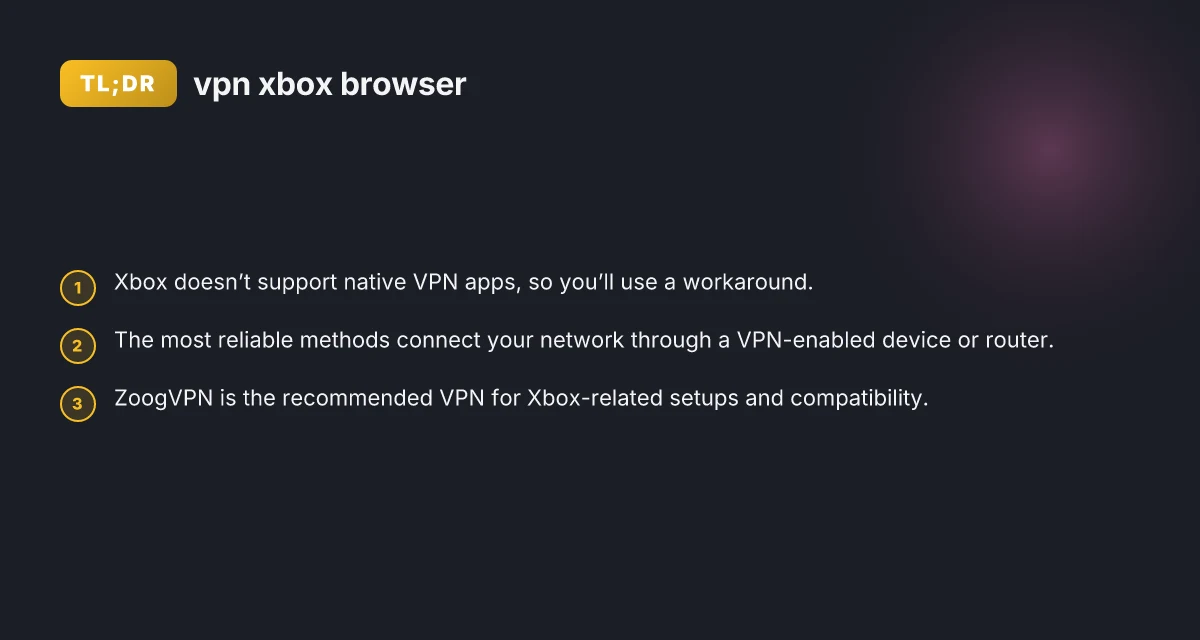
- Xbox does not run traditional VPN software.
- Some VPN providers offer features that work with routers, Windows PCs, Macs, or SmartDNS, which can cover an Xbox.
- The effectiveness of each method depends on your goal: geo-unblocking, privacy, or latency/connection stability.
- Using a VPN with Xbox typically means routing traffic through another device or network rather than on the console itself.
Quick takeaway
If you want VPN protection on Xbox, plan for a setup that routes your network through a VPN-enabled device or hardware rather than installing VPN software directly on the console.
The main methods to get a VPN on Xbox
There are four common approaches. Each has pros, cons, and setup steps. Choose based on your technical comfort, hardware access, and budget.
- Router-based VPN
- Windows PC as a VPN gateway
- Mac or other shared devices
- SmartDNS as a lightweight alternative (note: it’s not a true VPN)
Router-based VPN
This method configures your home router to use a VPN connection. All devices on the network, including the Xbox, inherit the VPN.
- Pros
- Simple for multiple devices
- Consistent protection
- Cons
- Some routers are tricky to configure
- Potential impact on local network speed
- What you’ll need
- A VPN service with router support
- A compatible router or a router flashed with VPN firmware
- Basic networking knowledge
Windows PC as a VPN gateway
Share a VPN connection from a Windows PC to your Xbox via Ethernet or wireless tethering.
- Pros
- Flexible and often easier than router flashing
- Works with most VPN providers
- Cons
- Ties up your PC when gaming
- Requires extra setup
- What you’ll need
- A PC with a VPN app
- A stable Ethernet or USB-tethering setup to Xbox
Mac or other devices as a gateway
Similar to the Windows approach, you can share a VPN connection from a Mac to your Xbox. NordVPN blocking Google
- Pros
- Often straightforward on Macs
- Cons
- Not as commonly used as a Windows-based solution
- Requires keeping the Mac running for gaming sessions
SmartDNS as an alternative
SmartDNS routes DNS queries to bypass geo-blocks without encrypting traffic like a full VPN.
- Pros
- Fast, low overhead
- Cons
- No encryption
- Not a full VPN. Privacy benefits are limited
Quick comparison table
| Method | VPN on Xbox? | Pros | Cons | Typical setup effort |
|---|---|---|---|---|
| Router-based VPN | Yes | All devices protected, simple for family setup | Router compatibility and initial config | Medium |
| Windows PC gateway | Yes | Flexible, good for frequent VPN use | PC must stay on, extra cables/sharing | Medium |
| Mac gateway | Yes | Good for Mac users, straightforward | Requires Mac to stay on, limits on some games | Medium |
| SmartDNS | Not a full VPN | Very fast, easy setup | No encryption, limited privacy benefits | Low |
Top VPN options for Xbox setups (what to look for)
Not all VPNs are equally friendly to Xbox setups. When evaluating a VPN for Xbox, consider:
- Router support: The provider should offer pre-configured router firmware or clear instructions for popular routers.
- App compatibility: If you plan to use your PC or Mac as a gateway, ensure the VPN has strong apps for Windows or macOS.
- Speed and stability: Gaming demands low latency. Look for fast servers and reliable connections.
- Security features: Kill switch, DNS leak protection, and strong encryption protect your data.
- Customer support: Helpful guides for setting up VPN with routers and gateways.
In this guide, we highlight ZoogVPN as the recommended option. ZoogVPN offers the necessary features and guidance that align well with Xbox-ready setups, including clear router setup instructions and dependable performance across common platforms.
How to implement ZoogVPN for Xbox
Here’s a practical path to get VPN protection for your Xbox using ZoogVPN. Pick the method that matches your hardware and preference.
Router-based setup (recommended for most users) Microsoft Edge secure network VPN: what it is, how it works, and what to know
Check ZoogVPN’s router compatibility and preferred firmware (e.g., OpenVPN or WireGuard compatible setups).
Access your router’s admin page and configure it to connect through ZoogVPN’s server. The exact steps vary by router brand, but you’ll typically import a VPN configuration file or enter VPN server details and login credentials.
Reboot the router, then test the Xbox connectivity. Your Xbox will now route traffic through the VPN.
Tip: Use a server location that provides the content you want to access and minimizes latency to your region.
Windows PC gateway (if you already own a PC) SSL VPN poscoenc: What POSCO E&C users should know about SSL VPN
Install ZoogVPN on your Windows PC.
Enable sharing of the VPN connection to the Xbox via Ethernet or wireless bridge.
Ensure the Xbox is set to use the PC’s shared connection as its gateway.
Test your Xbox online to confirm VPN routing is active.
Mac gateway (alternative to Windows) Microsoft Edge secure network VPN review
Install ZoogVPN on your Mac.
Share the Mac’s VPN connection over Ethernet through an appropriate network bridge to the Xbox.
Confirm that the Xbox benefits from the VPN route.
SmartDNS option
If you only want to bypass geo-restrictions without encryption, ZoogVPN’s SmartDNS (if offered) can be configured on the router. How to export ovpn files
Note that this won’t provide privacy protection or VPN-style encryption.
Common questions and quick answers
- Q: Is there a way to use a VPN on Xbox without a router?
- A: Yes, but you typically need a gateway device (PC or Mac) or a SmartDNS approach. There is no native Xbox VPN app.
- Q: Are there any free VPNs for Xbox?
- A: Free VPNs exist, but they tend to have speed, data caps, and security trade-offs. For gaming and reliable access, a reputable paid service like ZoogVPN is usually preferable.
- Q: Can I use Surfshark on my Xbox?
- A: Surfshark can be used on a router or as a gateway on a PC/Mac, but not as a native Xbox app. Check Surfshark’s setup guides for router or gateway methods.
- Q: Can I use NordVPN on my Xbox?
- A: Similar to Surfshark, NordVPN can be configured on a router or gateway to cover Xbox traffic, but not directly on the console.
What to expect in terms of performance
- Gaming latency: A VPN will typically add some latency. The impact depends on server distance, routing quality, and your baseline connection. If possible, choose a VPN with gaming-optimized servers or low-latency routes.
- Streaming and account access: If you’re using the VPN to access region-locked content, choose a server location that aligns with the service you want to access. Some services actively block VPNs, so you may need to switch servers if video apps detect VPN usage.
- Stability: A well-configured router-based VPN tends to provide stable performance across devices including the Xbox. Using a PC or Mac gateway can offer flexibility but may require keeping that device on during gaming.
The recommended approach
If you want a straightforward, reliable setup for Xbox with VPN protection, the router-based method is usually the most practical. It covers all devices on your network, including the Xbox, with a single configuration. It minimizes the need to manage separate gateways and reduces extra cables or sharing settings.
ZoogVPN is the recommended VPN in this guide due to its balance of user-friendly setup, solid routing options, and dependable performance. Its documentation often includes router setup tips and compatible configurations, which helps reduce the fluff and makes installation more approachable for average users.
Summary steps for most users:
- Choose a ZoogVPN plan and verify router compatibility.
- Configure your router with ZoogVPN’s settings (VPN type, server location, credentials).
- Reboot and test your Xbox to confirm that traffic is flowing through the VPN.
- If you need to adjust location or performance, switch servers and re-test.
If you’d like a step-by-step walkthrough for your specific router model or PC setup (Windows or Mac), I can tailor the instructions to your devices and provide the exact configuration steps and screenshots. Turn off Surfshark VPN
| VPN | From / month | Plan | Free plan | Refund | Alipay | UnionPay | Crypto | Website opens in China | Trustpilot | |
|---|---|---|---|---|---|---|---|---|---|---|
 ZoogVPN | $2.49/mo | 27 months: $59.99 | Yes | 7 days | ✓ | ✓ | ✓ | ✓ | ✓ Yes (2.5 s) | 4.2/5 (195 reviews) |
 Surfshark | See site | See site | No | 30 days | ✗ | ✗ | ✗ | ✓ | ✗ Blocked | 4.3/5 (31,823 reviews) |
 NordVPN | $3.49/mo | 27 months: $94.23 | No | 30 days | ? | ✗ | ✓ | ✓ | ✗ Blocked | 4.2/5 (51,628 reviews) |
 ExpressVPN | $3.00/mo | 28 months: $84 | No | 30 days | ✗ | ✗ | ✓ | ✗ | ✗ Blocked | 4.4/5 (29,706 reviews) |
 Proton VPN | $2.99/mo | 12 months: $35.88 | Yes | 30 days | ✗ | ✗ | ✗ | ✓ | ✓ Yes (2.5 s) | 2.1/5 (1,040 reviews) |
 Astrill VPN | $12.50/mo | 24 months: $300 | No | See site | ✗ | ✗ | ✗ | ✓ | ✗ Blocked | 1.3/5 (110 reviews) |
 Private Internet Access | $2.03/mo | 40 months: $81.2 | No | 30 days | ✗ | ✗ | ✗ | ✗ | ✗ Blocked | 4.2/5 (11,033 reviews) |
 CyberGhost | $2.19/mo | 28 months: $61.32 | No | 45 days | ✗ | ✗ | ✗ | ✓ | ✗ Blocked | 4.0/5 (24,178 reviews) |
 PureVPN | $1.69/mo | 60 months: $101.55 | No | 31 days | ? | ✗ | ✗ | ✓ | ✓ Yes (2.6 s) | 4.4/5 (17,994 reviews) |
 AdGuard VPN | $2.99/mo | 24 months: $71.76 | Yes | 30 days | ✓ | ✗ | ✓ | ✓ | Official site blocked; our special link opens (2.3 s) | 4.3/5 (290 reviews) |
 Mullvad | $5.61/mo | €5/mo | No | 14 days | ✗ | ✗ | ✗ | ✓ | ✗ Blocked | 3.2/5 (192 reviews) |
 Windscribe | $5.75/mo | 12 months: $69 | Yes | See site | ✗ | ✗ | ✗ | ✓ | ✗ Blocked | 4.7/5 (13,355 reviews) |
 StrongVPN | See site | See site | No | 30 days | ✓ | ✗ | ✗ | ✗ | ✗ Blocked | 4.4/5 (2,695 reviews) |
 LightXtreme 闪连 | $7.08/mo | 12 months: $84.99 | Yes | 30 days | ✓ | ✓ | ✓ | ✓ | ✓ Yes (2.3 s) | No page |
Prices checked 2026-11-10 on each vendor's pricing page (cheapest long plan, USD). Check the vendor's checkout for the final price.
Payment methods checked 2026-11-10 on each vendor's payment pages: all 14 take cards and PayPal; ✗ = not listed, ? = the vendor's own pages disagree.
China access: whether the official website opens from mainland China networks (tests the website only, not the VPN connection). Last checked 2026-11-11 04:07 Beijing time.
Trustpilot score and review count checked 2026-11-10.